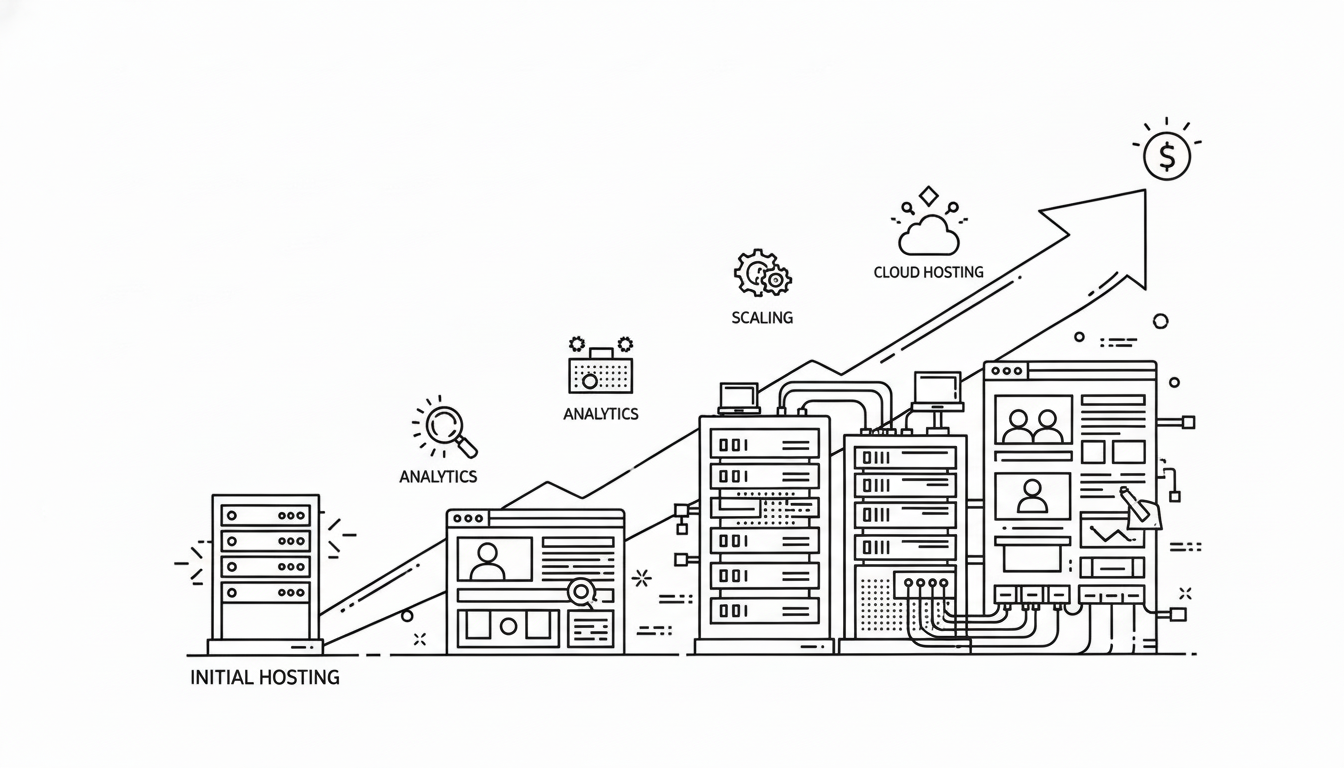
Every successful website eventually reaches a point where growth demands more power, speed, and stability than its original hosting plan can handle. When traffic surges, pages load slowly, or uptime drops, it’s a clear sign you’ve outgrown your current environment.
Scaling your hosting means upgrading resources and infrastructure to meet new levels of demand — without disrupting user experience or breaking your budget.
In this comprehensive guide, you’ll learn exactly how to scale your hosting as your website grows, the signs it’s time to upgrade, and the best strategies to future-proof your online presence.
1. Why Scaling Hosting Matters
Your hosting is the backbone of your website. As your traffic, data, and functionality expand, so does the pressure on your server.
Without timely scaling, your site can slow down, crash under load, or become vulnerable to security risks.
The Impact of Not Scaling
- Slow load times: High visitor volume overwhelms limited server resources.
- Frequent downtime: Shared servers can’t handle traffic spikes.
- Lost sales or leads: Frustrated users leave before pages load.
- Reduced SEO rankings: Search engines penalize slow or unreliable sites.
- Security weaknesses: Outdated or overloaded infrastructure increases risk.
Scaling ensures your website continues to perform smoothly, no matter how large your audience becomes.
2. Recognizing the Signs You’ve Outgrown Your Hosting
Before upgrading, confirm that performance issues are truly resource-related. Watch for these key indicators.
a. Slower Page Load Times
Even with optimized images and caching, your pages take longer to load. This often means CPU or memory limitations.
b. Resource Limit Warnings
Your hosting dashboard shows messages like “Resource Limit Reached” or “High I/O Usage.”
c. Increased Downtime
Frequent server timeouts or 5xx errors indicate that your host can’t handle concurrent connections.
d. Traffic Surges Cause Crashes
If a marketing campaign or viral post instantly slows your site, your current plan isn’t scalable enough.
e. Need for Advanced Features
As you grow, you may require root access, custom databases, or dedicated IPs unavailable on entry-level hosting.
When you notice two or more of these signs consistently, it’s time to plan your upgrade.
3. Evaluate Your Current Hosting Environment
Before scaling, take stock of your current setup. Understanding your server’s limitations helps you choose the right upgrade path.
Checklist
- Hosting Type (Shared / VPS / Cloud / Dedicated)
- Average Monthly Visitors
- Storage and Bandwidth Usage
- CPU & RAM Allocation
- Uptime Percentage
- Website Technology (WordPress, Laravel, Node.js, etc.)
Collecting this data will clarify how much more capacity you need.
4. Understand Hosting Types and Their Scalability
Each hosting type offers a different level of control and growth potential.
a. Shared Hosting
- Best For: New websites and blogs.
- Limitations: Shared CPU, RAM, and IP with other users.
- Scaling Option: Upgrade to VPS or Managed WordPress hosting.
b. VPS (Virtual Private Server)
- Best For: Medium websites needing dedicated resources.
- Advantages: Isolated environment, scalable RAM/CPU.
- Scaling Option: Add resources or transition to cloud hosting.
c. Cloud Hosting
- Best For: Websites with fluctuating traffic.
- Advantages: Elastic scalability, pay-as-you-grow pricing.
- Scaling Option: Instantly increase CPU, storage, or bandwidth through your dashboard.
d. Dedicated Server
- Best For: Large eCommerce or enterprise sites.
- Advantages: Full control, maximum power.
- Scaling Option: Add hardware or migrate to multi-server clusters.
Choosing the right type ensures your scaling effort fits your site’s size and trajectory.
5. Plan a Scalable Hosting Strategy
Scaling should never be reactive. The goal is to prepare infrastructure before growth peaks.
a. Forecast Traffic Growth
Use analytics to estimate future visitor increases based on campaigns or seasonal spikes.
b. Set Performance Goals
Define measurable objectives such as:
- 99.99% uptime
- < 3-second page load
- Ability to handle 10x concurrent users
c. Budget Wisely
Plan for incremental upgrades instead of a single expensive move. Cloud and VPS solutions allow flexible scaling by month.
6. Choose When and How to Upgrade
Timing your upgrade ensures smooth transitions without downtime.
Ideal Upgrade Moments
- Before launching a big marketing campaign.
- After noticing consistent resource warnings.
- When adding new features that increase processing load.
- During off-peak hours to minimize disruption.
Upgrade Path Example
- Shared → VPS for better control.
- VPS → Cloud for flexibility.
- Cloud → Dedicated for enterprise-level stability.
Moving step-by-step keeps the process efficient and predictable.
7. Scale Vertically (Add More Power)
Vertical scaling, also called “scaling up,” increases your server’s hardware resources.
How to Scale Up
- Upgrade your plan to add more CPU cores, RAM, or SSD storage.
- Switch to NVMe storage for faster data retrieval.
- Boost bandwidth limits for high traffic volumes.
Benefits
- Simple and quick upgrade process.
- Minimal migration effort.
Drawbacks
- There’s a ceiling — one server can only handle so much before needing horizontal scaling.
Vertical scaling suits growing small-to-medium sites that need immediate power boosts.
8. Scale Horizontally (Add More Servers)
Horizontal scaling, or “scaling out,” distributes your website across multiple servers.
How It Works
Instead of one powerful server, multiple machines handle different parts of your workload — for example, one for databases, one for static files, and one for application logic.
Advantages
- Better redundancy and failover protection.
- Handles massive traffic growth.
- Reduces single points of failure.
Challenges
- More complex setup requiring load balancers.
- Higher management and cost overhead.
Large eCommerce or content-heavy sites often combine vertical and horizontal scaling for maximum performance.
9. Use Cloud Hosting for On-Demand Scaling
Cloud hosting is built for scalability. It allows instant resource allocation when traffic spikes.
Key Features
- Pay-as-you-go pricing — only pay for what you use.
- Elastic scaling — resources expand or shrink automatically.
- Redundant infrastructure — downtime protection across multiple nodes.
When your website starts getting unpredictable traffic, cloud hosting provides flexibility unmatched by traditional servers.
10. Optimize Your Database Before Scaling
Sometimes, slow performance comes from inefficient database queries — not limited hosting power.
Optimization Tips
- Regularly clean unused tables and revisions.
- Index frequently queried columns.
- Use caching for read-heavy content.
- Separate database and application servers if possible.
Database optimization can extend your hosting life before a major upgrade becomes necessary.
11. Implement Load Balancing
Load balancers distribute incoming traffic evenly across multiple servers to prevent overload.
How It Helps
- Prevents a single server from crashing under heavy load.
- Improves uptime and redundancy.
- Enables maintenance on one server without taking the site offline.
If your hosting provider supports load balancing, enable it once your website starts handling thousands of simultaneous visitors.
12. Utilize Content Delivery Networks (CDN)
A CDN offloads static files like images, CSS, and JavaScript to global edge servers.
Scaling Benefits
- Reduces bandwidth strain on your main host.
- Improves speed for visitors worldwide.
- Adds redundancy in case of regional outages.
Integrating a CDN effectively “scales out” your site without physically adding new servers.
13. Monitor Resource Usage Continuously
You can’t scale what you don’t measure. Monitoring helps you act before performance dips.
Metrics to Watch
- CPU and RAM utilization
- Disk I/O and bandwidth
- Database query time
- Uptime percentage
- TTFB (Time to First Byte)
Review these metrics weekly using your hosting dashboard or server monitoring tools. Consistent spikes mean it’s time to scale.
14. Improve Application and Code Efficiency
Scaling isn’t always about upgrading servers — optimizing your code reduces load significantly.
Optimization Steps
- Minify CSS and JS files.
- Remove unused plugins or extensions.
- Compress images and enable lazy loading.
- Cache dynamic pages.
- Use efficient database queries.
Better optimization means you get more performance out of existing resources, delaying costly upgrades.
15. Separate Staging and Production Environments
Running tests or updates on a live site can cause downtime.
Scaling Best Practice
- Create a staging environment for testing.
- Apply updates or design changes there first.
- Push tested changes live only after verification.
This reduces server strain and ensures stability during growth phases.
16. Upgrade Security Alongside Performance
As your website scales, more users and data mean greater security responsibility.
Security Measures
- Install firewalls and DDoS protection.
- Implement SSL and HTTPS everywhere.
- Enforce strong passwords and 2FA.
- Schedule automatic malware scans.
- Regularly back up both files and databases.
Secure scaling prevents disruptions that could undo all your performance gains.
17. Automate Backups and Failover Systems
Backups and redundancy keep your site safe during scaling operations or unexpected failures.
Best Practices
- Enable automatic daily backups.
- Store backups on a different server or region.
- Use real-time replication for mission-critical data.
- Test recovery procedures quarterly.
Automation ensures that no matter how fast you grow, your website remains protected.
18. Plan Downtime-Free Migrations
If you’re upgrading to a new server or host, do it without interrupting service.
Migration Tips
- Migrate during off-peak hours.
- Keep both old and new servers active temporarily.
- Test everything using a temporary domain before switching DNS.
- Lower DNS TTL values 24 hours before migration for faster propagation.
This ensures smooth transitions that visitors won’t even notice.
19. Test Performance After Scaling
Once your upgrade is complete, verify that improvements are measurable.
Post-Upgrade Tests
- Check load time and TTFB improvements.
- Run uptime tests over several days.
- Review CPU and memory utilization.
- Compare visitor handling capacity before vs. after.
Collecting data post-scaling confirms whether the upgrade achieved its goals.
20. Build a Long-Term Scalability Plan
Growth rarely stops after one upgrade. Create a structured plan for ongoing scalability.
Elements of a Good Plan
- Defined thresholds for upgrading (e.g., 80% CPU usage).
- Scheduled quarterly resource reviews.
- Budget allocation for scaling.
- Regular performance benchmarks.
A documented plan transforms scaling from a reactive task into a strategic advantage.
21. When to Consider Managed Hosting
If manual scaling and monitoring feel complex, managed hosting offers professional assistance.
Advantages
- Automatic resource adjustments.
- 24/7 expert monitoring.
- Built-in performance tuning.
- Hassle-free upgrades and migrations.
Managed hosting lets you focus on content and growth instead of server maintenance.
22. Cost Management During Scaling
Scaling increases expenses, but planning wisely prevents overspending.
Tips to Control Costs
- Choose hosts with pay-as-you-use billing.
- Audit unused add-ons or idle resources.
- Use caching and CDNs to lower bandwidth costs.
- Combine vertical and horizontal scaling gradually instead of at once.
Strategic cost control keeps your website efficient and profitable as it expands.
23. Train Your Team or Developers
If you manage a growing business site, ensure everyone understands scaling best practices.
Focus Areas
- Proper deployment workflows.
- Monitoring and alert handling.
- Backup and recovery procedures.
- Security and access control.
Educated teams reduce human errors — the most common cause of downtime during growth.
24. Future-Proof with Containerization or Microservices
Advanced websites can use container technologies like Docker or microservices for extreme scalability.
Benefits
- Isolates apps for better resource control.
- Enables faster deployment and recovery.
- Allows independent scaling of different components.
Though technical, adopting such architectures ensures your hosting can handle future expansion seamlessly.
25. Final Thoughts
Scaling your hosting isn’t just about upgrading to a bigger plan — it’s about building a stable, flexible foundation for long-term growth.
As your website attracts more visitors, your hosting should evolve with it. By monitoring performance, planning upgrades, and implementing scalable technologies like cloud hosting and CDNs, you can grow confidently without risking downtime or poor user experience.
In summary: scale smartly, not hastily. Measure your needs, plan your next step, and expand gradually. A well-scaled hosting setup transforms your website from a small online presence into a high-performance digital powerhouse.
